
How APISIX Revolutionizes Kubernetes: An In-depth Look at APISIX as a Kubernetes Ingress Controller
As the Kubernetes ecosystem continues to grow and evolve, the need for a robust and efficient Ingress controller becomes more critical. Enter APISIX, a high-performance, scalable API gateway that has been making waves for its ability to function seamlessly as a Kubernetes Ingress controller. If you’re interested in learning how to make your Kubernetes environment more dynamic, secure, and efficient, this is the blog post for you.
Introduction
Kubernetes has become the de facto standard for container orchestration. One of its core components, the Ingress controller, is responsible for managing external access to services within a Kubernetes cluster, typically through HTTP and HTTPS routes. Given the increasing complexity and demand for scalable, high-performance and feature-rich Ingress solutions, APISIX, a dynamic, real-time, high-performance API gateway, has positioned itself as a robust alternative to traditional Ingress controllers like NGINX or Traefik.
In this blog post, we’ll dive into what makes APISIX a unique choice for a Kubernetes Ingress controller and how it stands out from the competition. From its real-time updates and rich plugin ecosystem to its top-notch performance, we’ve got a lot to cover!
What is APISIX?
APISIX is a cloud-native, high-performance microservice API gateway that is designed to handle massive amounts of traffic and provide a rich set of features such as authentication, observability, and high availability. Built by the robust Nginx and etcd combination, it not only offers a high-performance gateway but also allows real-time updates without restarts.
Why APISIX for Kubernetes Ingress?
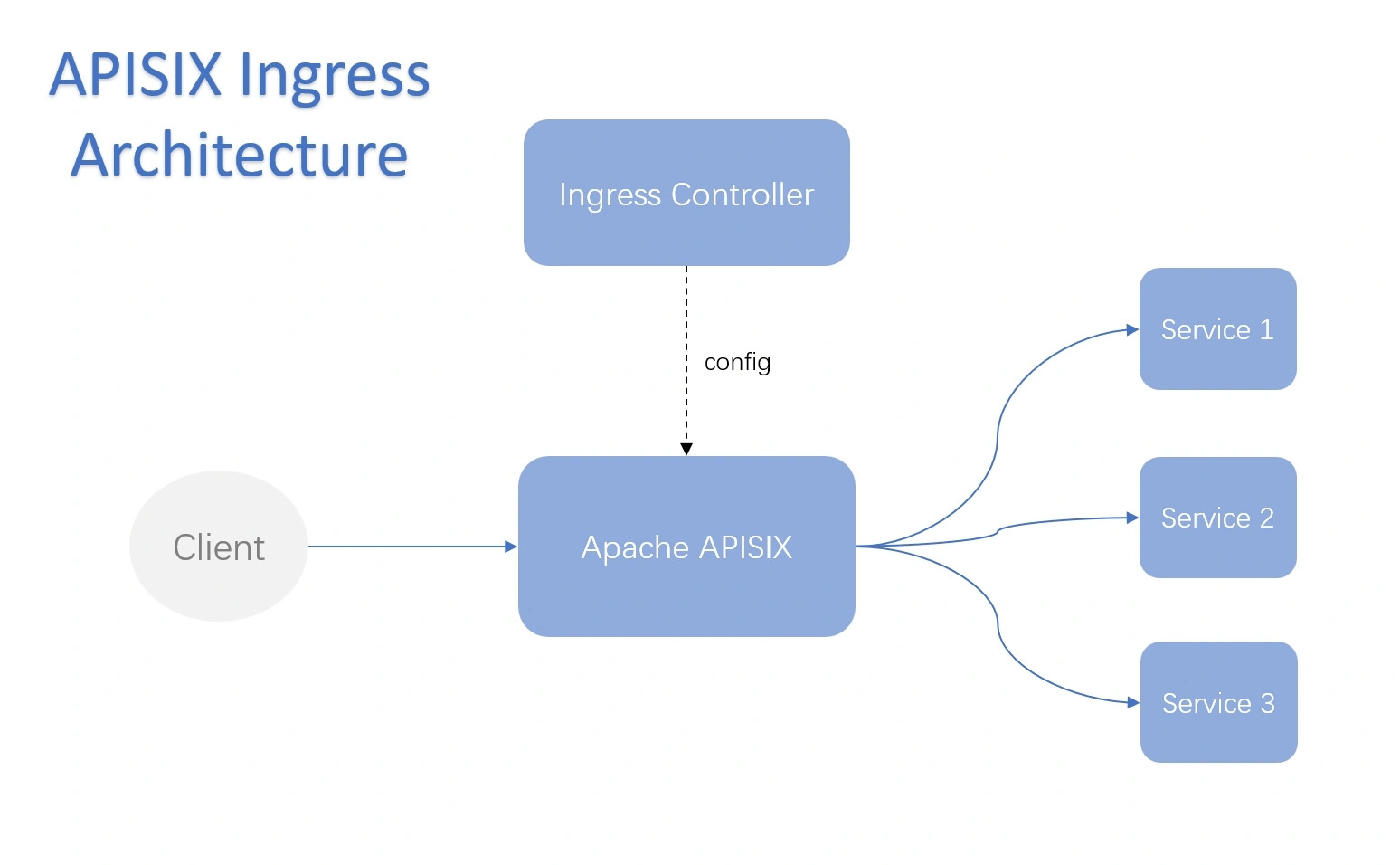
APISIX’s architecture makes it an excellent choice for serving as an Ingress controller in Kubernetes environments. Here are some key reasons why:
-
High Performance
APISIX leverages Nginx as its data plane, which is well-known for its high performance. APISIX adds a dynamic, real-time, and high-performance API gateway layer on top of Nginx, making it one of the most performant options available for Ingress controllers.
-
Real-Time Updates
Traditional Ingress controllers often require a reload when routes, policies, or configurations need to be updated. APISIX, on the other hand, updates configurations in real-time without reloading or restarting. This ensures zero downtime and a smooth user experience.
-
Robust Plugin Ecosystem
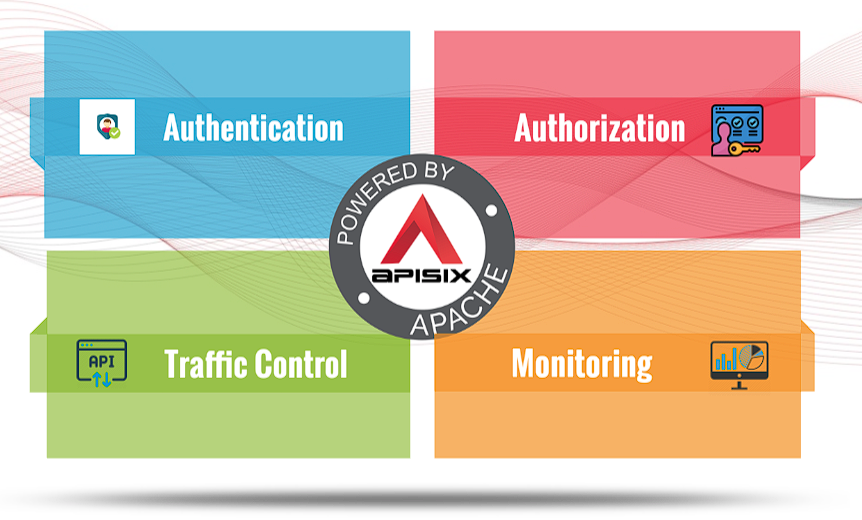
APISIX features an extensive plugin ecosystem that includes support for authentication, security, observability, and traffic control. Plugins such as rate limiting, JWT authentication, Prometheus metrics, and even custom plugins can be used to tailor APISIX to your specific use case.
-
Dynamic Load Balancing
APISIX supports round-robin and consistent hashing load balancing algorithms, making it capable of efficiently distributing traffic across backend services. This makes handling traffic spikes and ensuring high availability a breeze.
-
Service Discovery Integration
APISIX can integrate with various service discovery systems such as Nacos, Consul, and DNS-based service discovery. This makes it incredibly easy for APISIX to find and route traffic to your services.
-
Monitoring and Observability
APISIX works with many logging and monitoring tools such as Prometheus, Grafana, and Zipkin. This makes it easy to get insights into your API traffic and troubleshoot issues.
How to Deploy APISIX as a Kubernetes Ingress Controller
Deploying APISIX as a Kubernetes Ingress controller is a straightforward process. Here’s a step-by-step guide:
-
Install Helm
First, make sure you have Helm installed on your Kubernetes cluster.
-
Add the APISIX Helm Repository
Add the APISIX Helm repository with the following command:
helm repo add apisix https://charts.apiseven.com helm repo update -
Deploy APISIX
You can deploy APISIX as an Ingress controller using Helm:
helm install apisix apisix/apisix --set ingress-controller.enabled=true --namespace apisixThe
--set ingress-controller.enabled=trueflag ensures that the APISIX Ingress controller is enabled in the deployment. -
Verify the Deployment
Check the status of the deployed pods:
kubectl get pods -n apisixThis should show the APISIX gateway pods and the APISIX Ingress controller pods up and running.
-
Using APISIX Ingress Resource
After deployment, you can define your Ingress resources as you typically would in Kubernetes. For example, an APISIX Ingress resource might look like this:
        apiVersion: apisix.apache.org/v2beta3
        kind: ApisixRoute
        metadata:
          name: httpbin-route
        spec:
          http:
          - name: rule1
            match:
              hosts:
              - httpbin.org
              paths:
              - /status/*
            backends:
            - serviceName: httpbin
              servicePort: 80
This defines a route that directs traffic arriving at "
httpbin.org/status/*" to thehttpbinservice on port 80.
Conclusion
In a nutshell, APISIX is a high-performance, feature-rich, and dynamic API gateway that makes it an ideal candidate for a Kubernetes Ingress controller. Its real-time update capability, robust plugin ecosystem, and excellent performance ensure a smooth, secure, and scalable way to manage external access to your Kubernetes services. As Kubernetes continues to grow, having a reliable Ingress controller like APISIX can make a significant difference in managing your applications' traffic efficiently.
Whether you are already familiar with Kubernetes Ingress or just getting started, APISIX offers a compelling set of features that make it worth a closer look.
For more details and hands-on tutorials, check out the APISIX documentation and see how you can make your Kubernetes Ingress management even more powerful and efficient.
Lily and 4 people like this